
FRMT
Film Simulation for iPhone
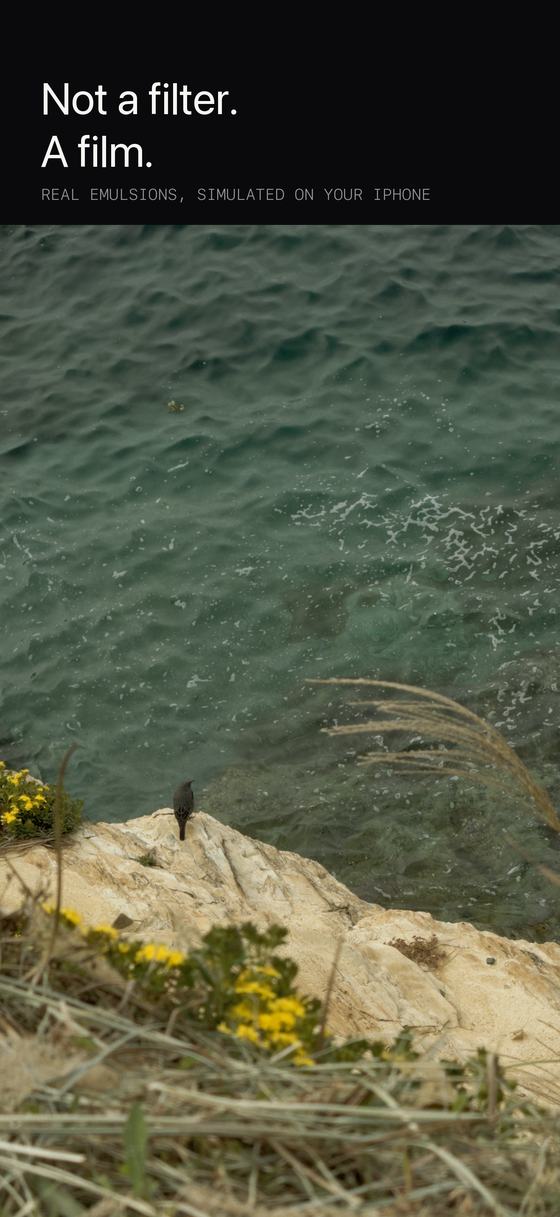
Not a filter.
A film.
Every other film app on your phone is a colour filter. A list of what each colour should become, applied to a photo that has already been taken.
FRMT simulates the film instead. The light scattering sideways through the emulsion. The dye layers chemically holding each other back. The grain forming only where light actually landed. Your iPhone runs the chemistry, one frame at a time, from a RAW negative.
Download on the App Store $14.99 onceNo subscription · No account · Nothing leaves your phone

 iPhone
Cinnabar 50
iPhone
Cinnabar 50
The difference
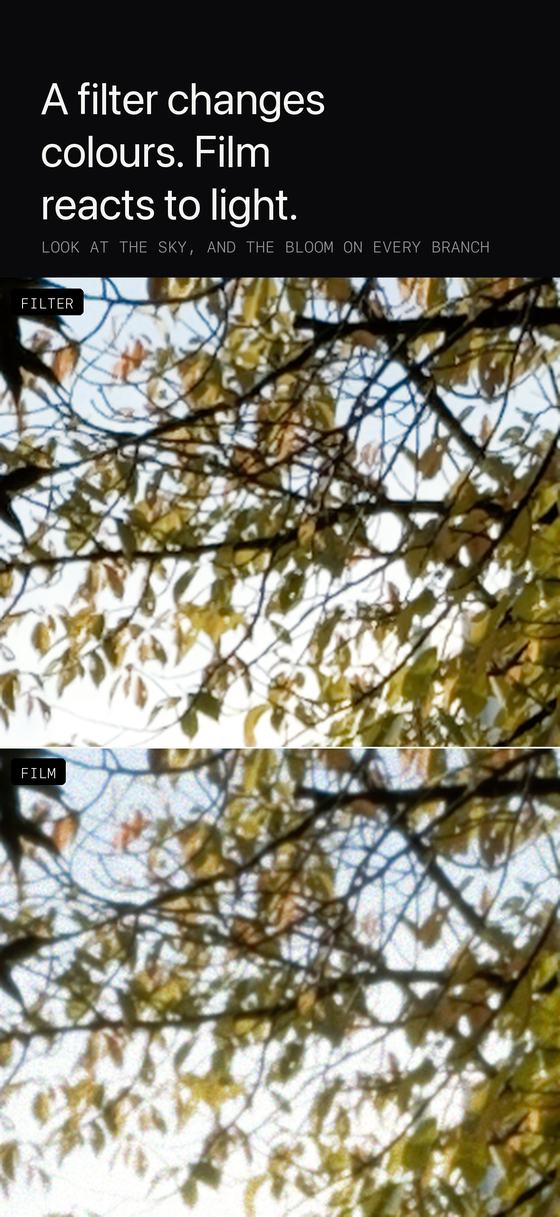
A filter is a list. Film is a reaction.
A filter works by lookup. Somebody decided in advance what every colour should turn into, and the app swaps them one pixel at a time. Feed it the same blue twice and you get the same answer twice, whether that blue was an inch of evening sky or the highlight on a chrome bumper.
Film has no list to consult. It has chemistry, and chemistry pays attention to its surroundings. Light that hits a bright edge keeps going, bounces off the back of the film and comes back to expose the grains beside it. Dye forming in one layer releases a chemical that stops the layer next to it forming as strongly. Grain appears where enough photons happened to land, which is not the same place in the shadows as in the midtones.
None of that can be written down as a list, because the answer depends on what else is in the frame.
That is the whole reason a neon sign on film glows into the dark around it, why reds stay separate from greens instead of turning to mud, and why grain sits heaviest in the midtones and vanishes in deep shadow. It is what people are pointing at when they say a photograph looks like film. A lookup table cannot get there, no matter how carefully it was made.
The proof
We built the filter, then beat it.
One photograph, developed twice. On the left, the best possible colour filter of this exact film stock, built from the same measurements we built the model from. On the right, the full simulation. This is a 1:1 crop, so you are looking at real pixels rather than a resized version of them.
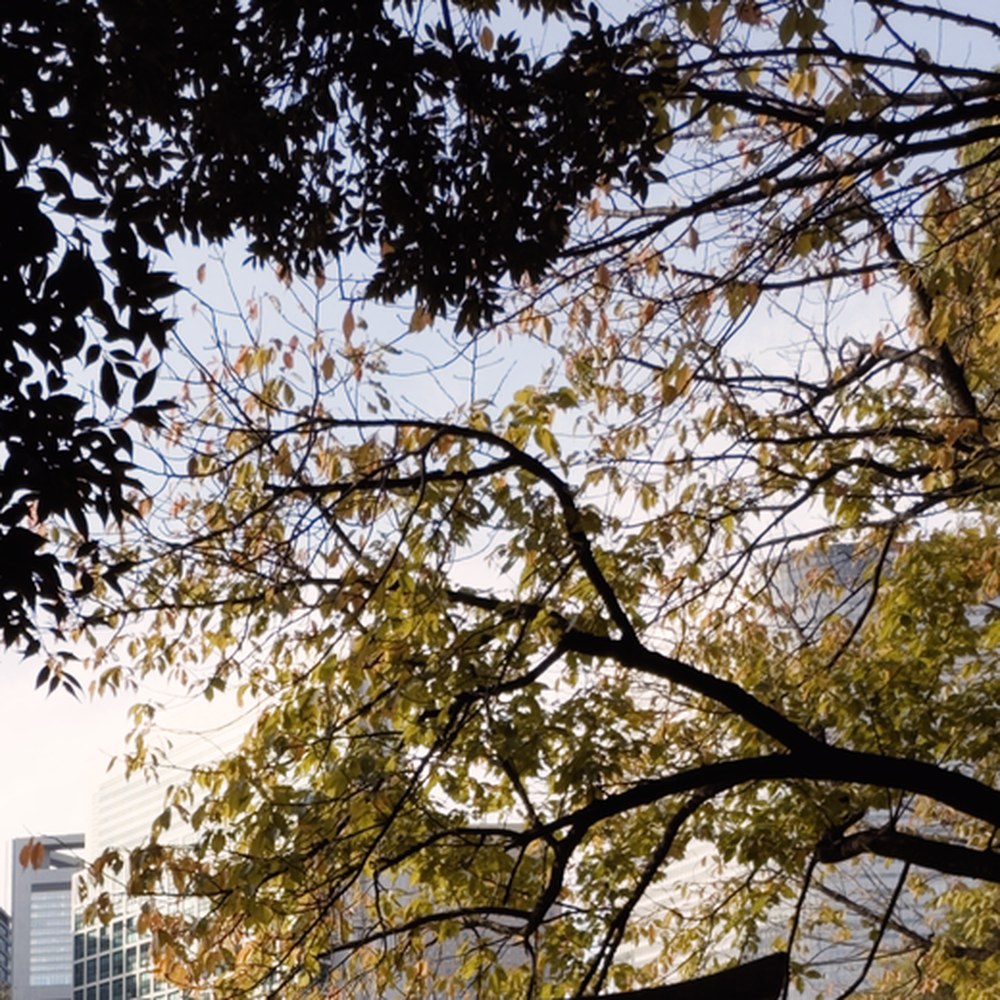
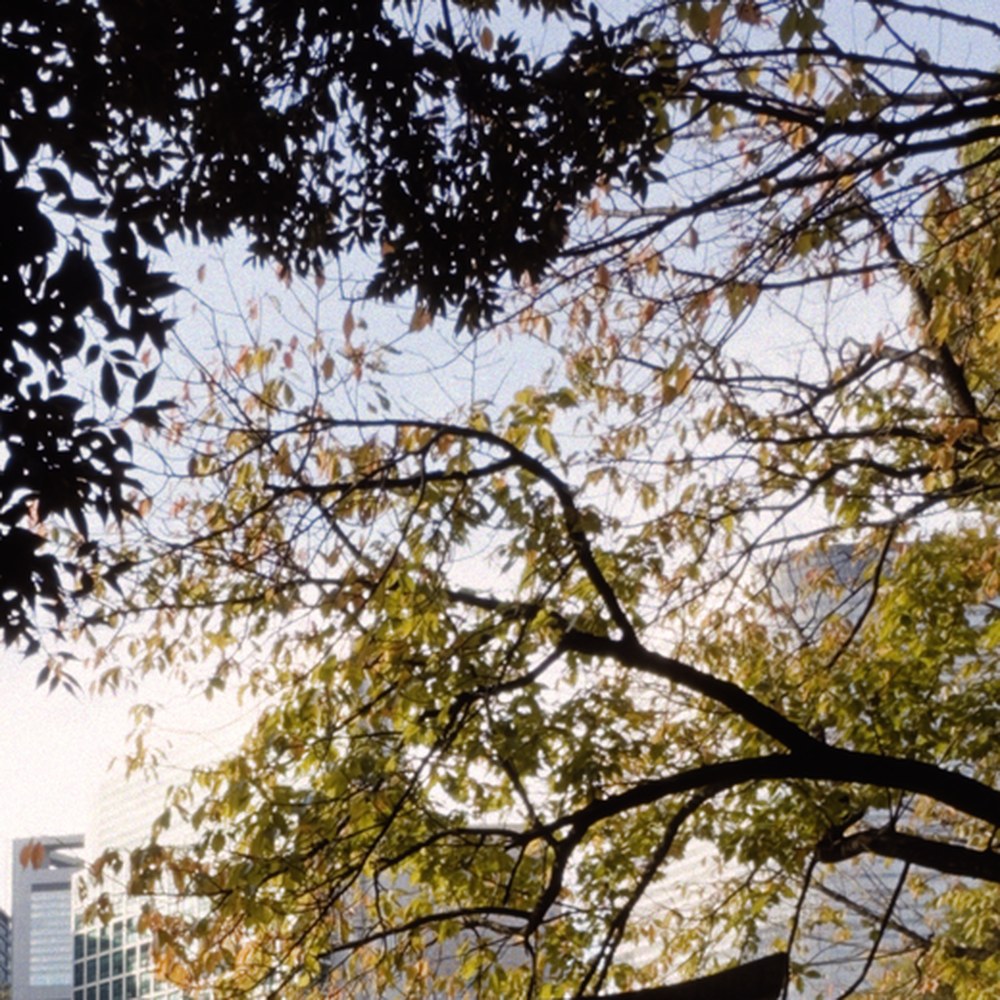 Filter
FRMT
Filter
FRMT
Zoom back out and it is everywhere. Here is every place the two versions disagree across the whole frame, amplified and shown on its own. This is the light a filter cannot produce, because producing it means moving light across the frame rather than recolouring it in place.
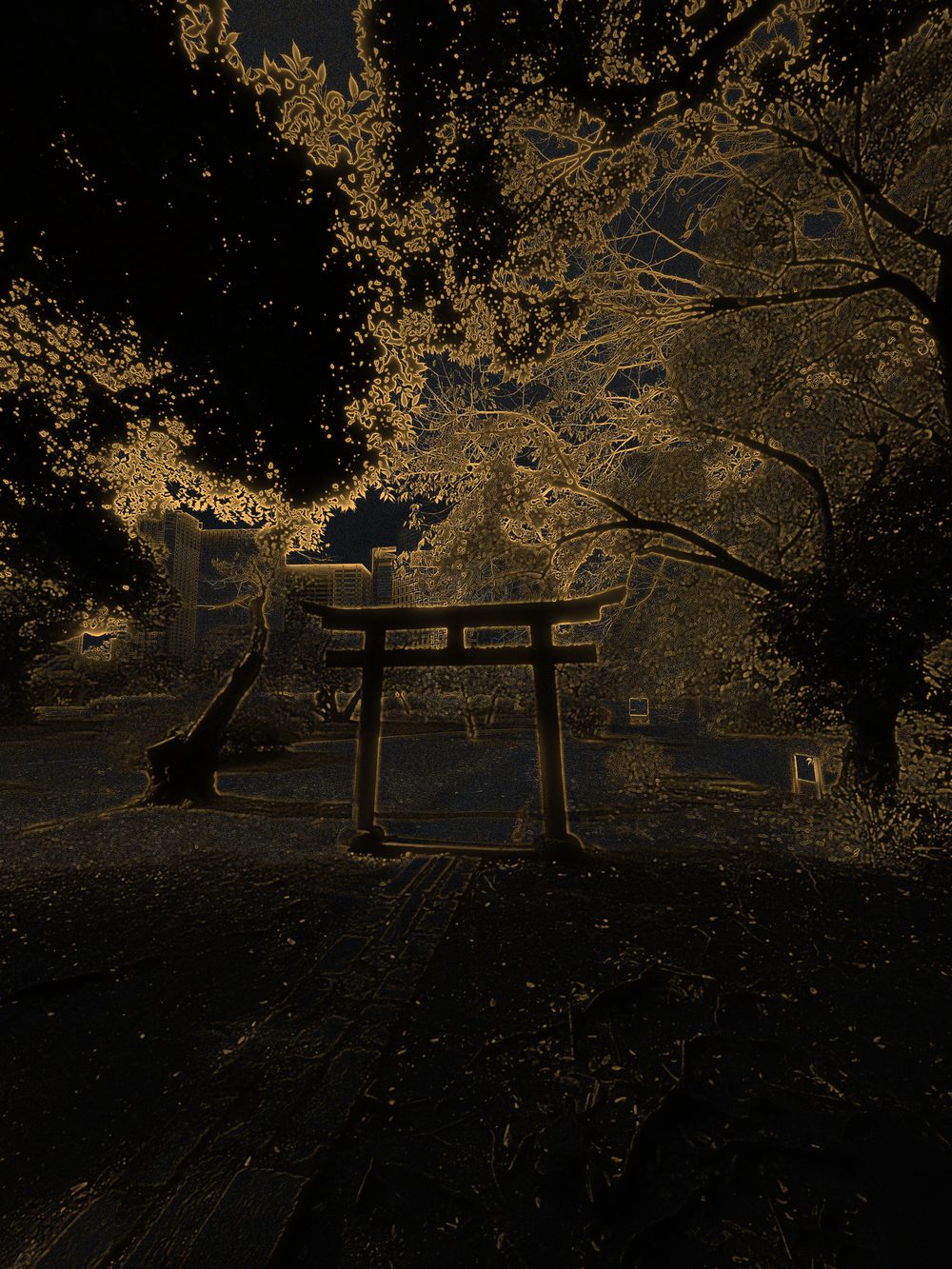
Three things a filter cannot do
What your phone is actually calculating.
Every photograph goes through these in order, the same order a negative goes through them, on the graphics processor in your phone.
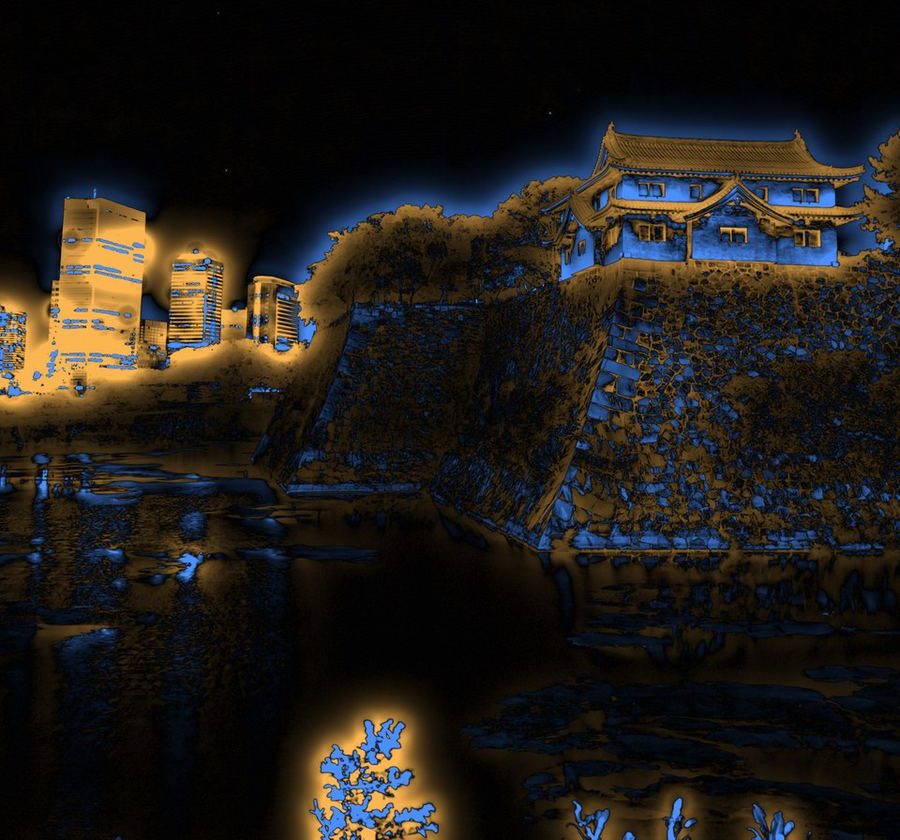
Halation, on its own
This is real, and it is in every frame.
The returning light from a single photograph, pulled out and amplified so you can see it. Nothing here was painted on. It is what the model produced from the negative.
Four stocks
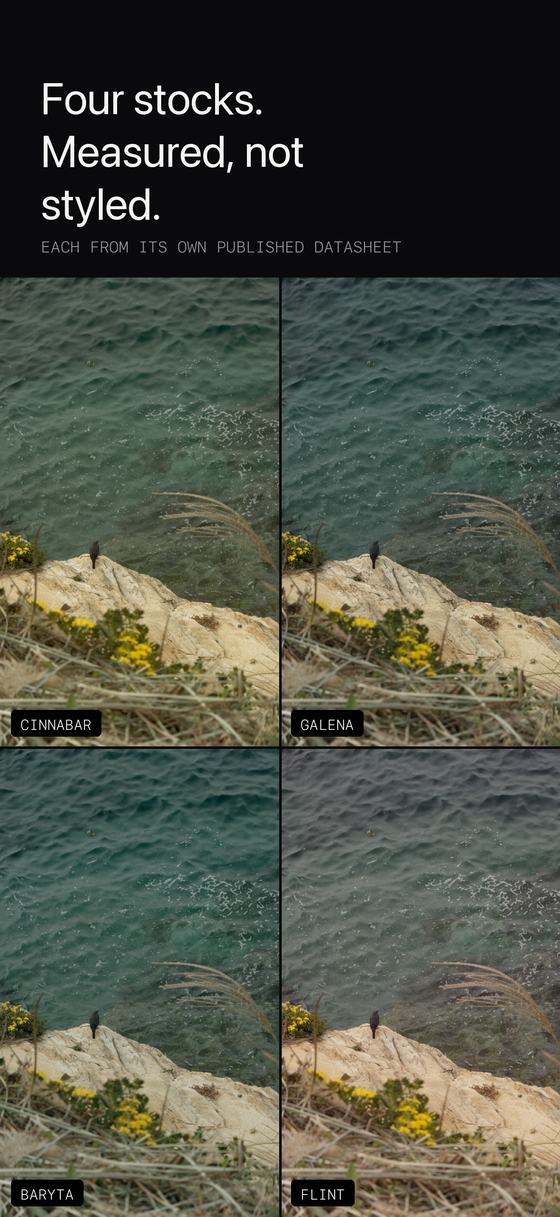
Measured, not styled.
The numbers behind each one come off its manufacturer's own published datasheet: the response curves, the spectral sensitivity, the grain figures. Nobody sat down and eyeballed a preset until it looked about right.
You load one at a time, the way you load a roll. There is no look picker on the capture screen and there are no sliders, and none of the four is a variation on another.
How it works
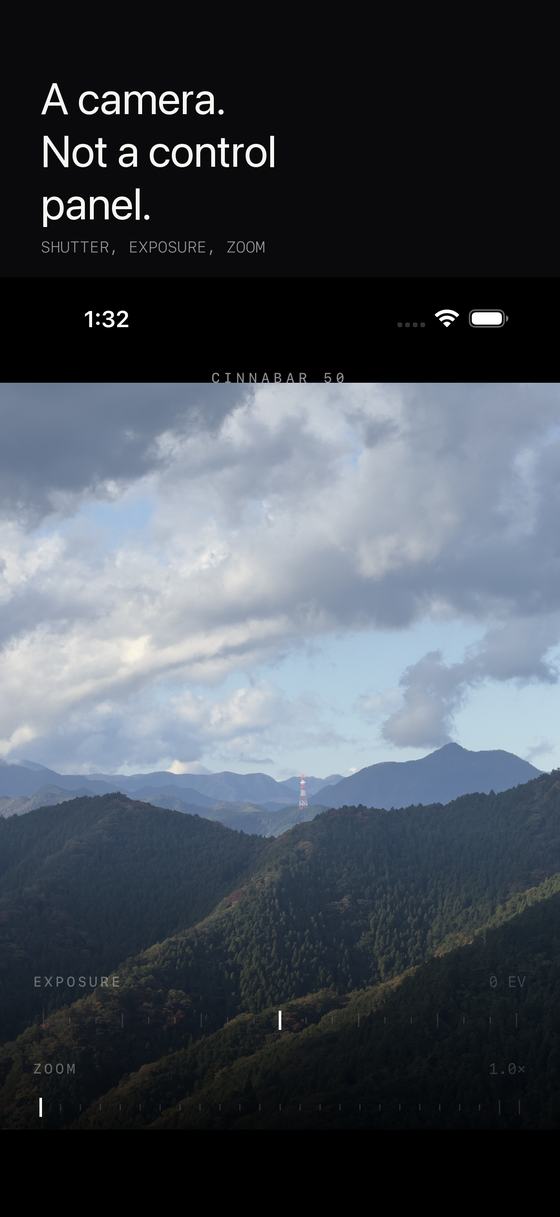
A camera, not a control panel.
- Press the shutter. A RAW negative is written immediately. The shutter never waits on processing, so the app stays as fast as the stock camera.
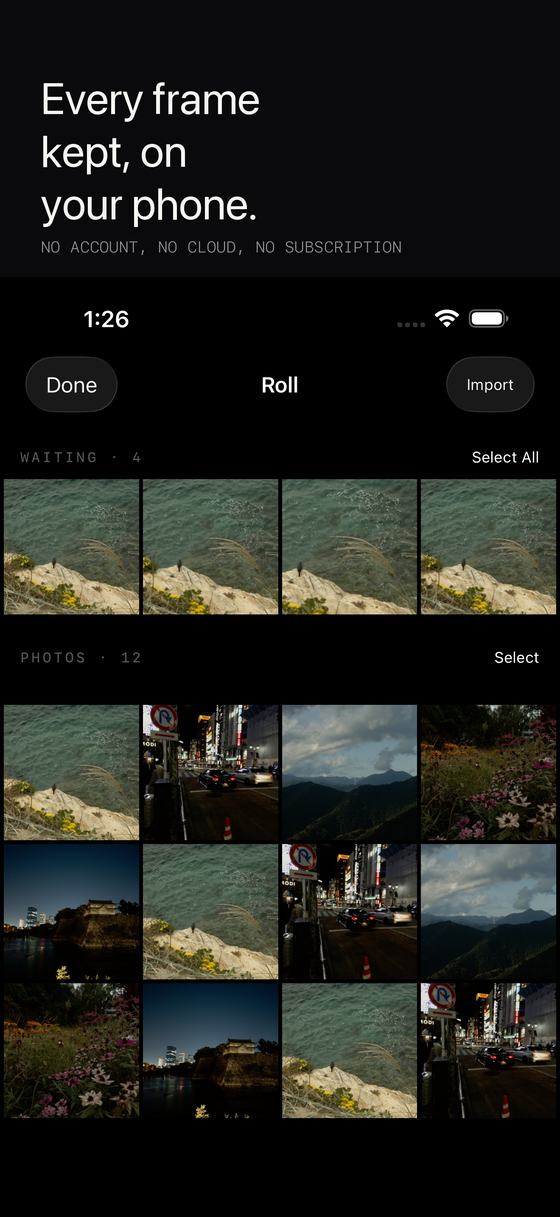
- It goes on the roll. Frames queue up exactly like exposures on a roll of film. Keep shooting. You can also set developing to hold until you are plugged in.
- It develops. About a minute a frame, on your phone, running the full model from negative to print. You watch the timer, not a progress bar pretending to be one.
- You get it back. Finished photographs save to your photo library and stay in the app, so you can look through them without leaving. Shot something on another camera? Import the RAW and develop that too.
Honestly
It is slow, and that is the trade.
A minute of your phone's graphics processor per photograph is an absurd amount of computation to spend on one image, and it is the reason nobody else does this. A filter is one lookup per pixel and it is done before you lift your thumb. We think the minute buys something a lookup never will.
The viewfinder shows you the scene, not the film. Grading a live preview means guessing at the answer before the work is done, and a preview that guesses wrong is worse than one that is honest. Use the exposure dial to place your highlights.
This is slide film. There is not much room above the highlights. That is faithful rather than accidental, and it is the part that will change how you shoot.
One price, once
$14.99. That is the whole business model.
No subscription, no account, no cloud, no ads, no watermark, no in app purchases, no upsell to unlock the good stocks. Your photographs never leave your phone, because the app has no networking code in it at all.
Requires an iPhone that can capture Apple ProRAW.
Download on the App Store $14.99 onceQuestions
The things people ask first.
How is FRMT different from a film filter or a LUT?
A filter is a lookup table. Somebody decided in advance what every colour becomes, and the same input always gives the same output. FRMT simulates the process instead, so what happens to a pixel depends on what surrounds it: light spreads sideways into neighbouring areas, dye layers hold each other back, and grain forms according to how much light actually landed.
Which film stocks are included?
Four, each built from its manufacturer's published characteristic curves and spectral sensitivity data rather than eyeballed from somebody's scans.
Is it a subscription?
No. One purchase of $14.99. No subscription, no account, no advertising, no in app purchases.
Do my photos leave my iPhone?
No. Every frame is developed on the iPhone's own GPU. The app contains no networking code at all, so there is nothing to upload and no server holding a copy.
Why does developing take so long?
Because it runs the chemistry rather than looking up an answer. Light transport through the emulsion, the interaction between dye layers and grain formation are all computed for every frame, and that costs real time on a phone.
Which iPhones does it work on?
Any iPhone that can capture Apple ProRAW, running iOS 26 or later.