Glitch art app for iPhone
Break your
photos on purpose.
MODUL8 is an image modulation kit for iPhone. Nineteen effects, each one modelled on a specific way that real hardware used to fail: tape that lost tracking, tubes that bloomed at the edges, compression that gave up halfway through a frame. Stack them, reorder them, and turn a photo into something that looks like it came off a machine that was already dying.
It is free, every effect runs on your phone, and your photos never leave the device.
The idea
A filter paints over a photo. MODUL8 damages it.
Most glitch apps ship one look. They lay a fixed pattern of coloured lines over whatever you give them, and every photo comes out wearing the same costume. You can spot the app from across a feed.
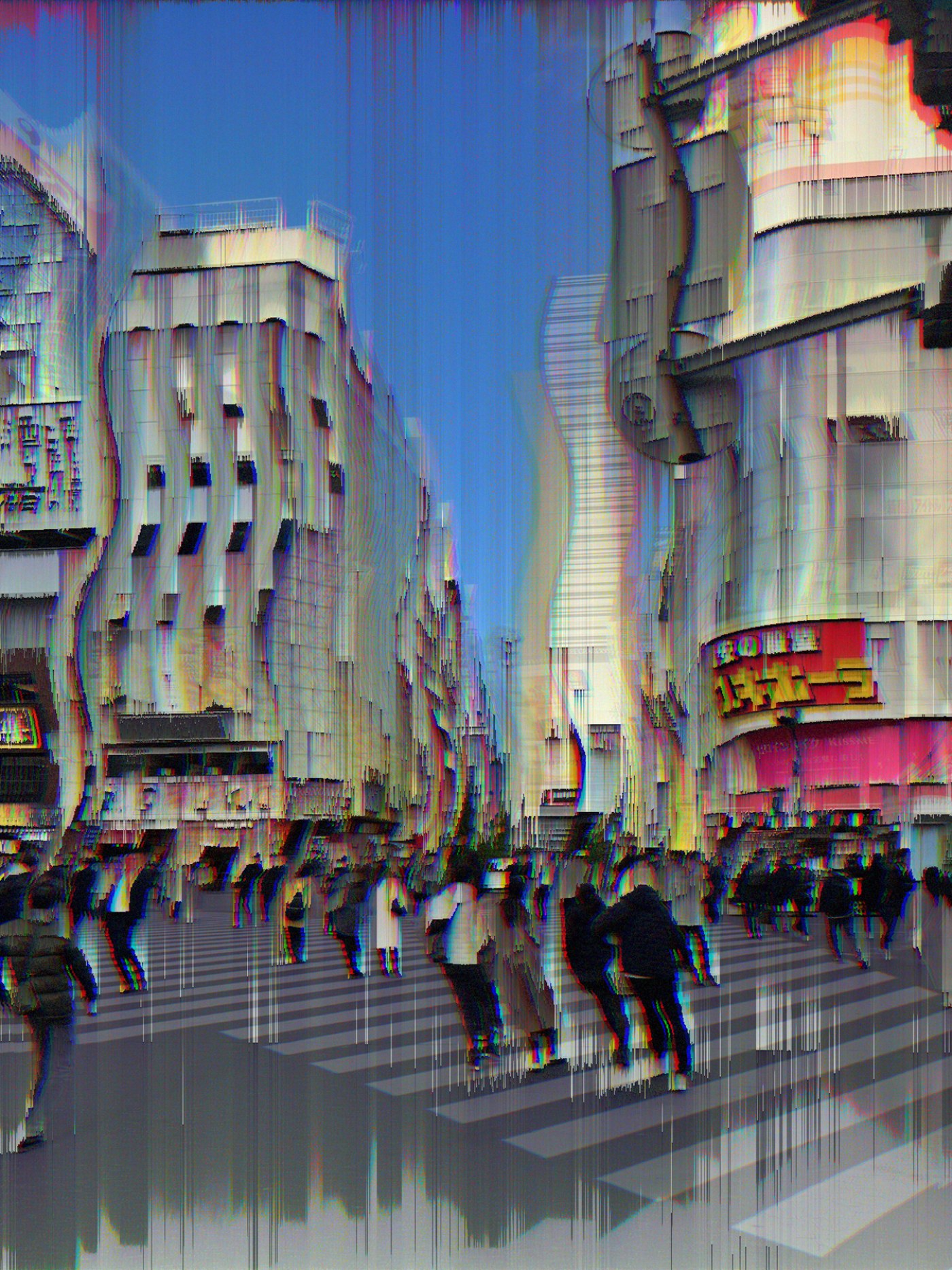
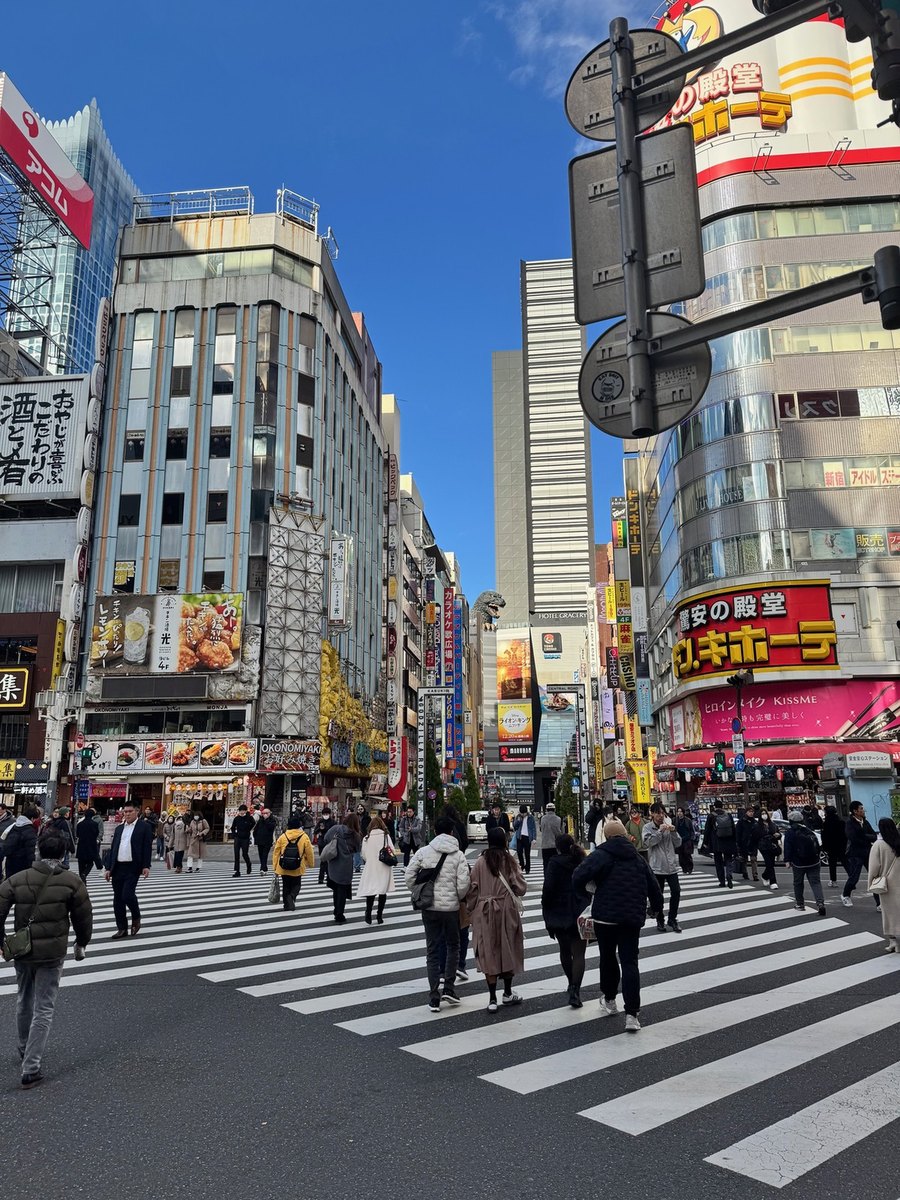
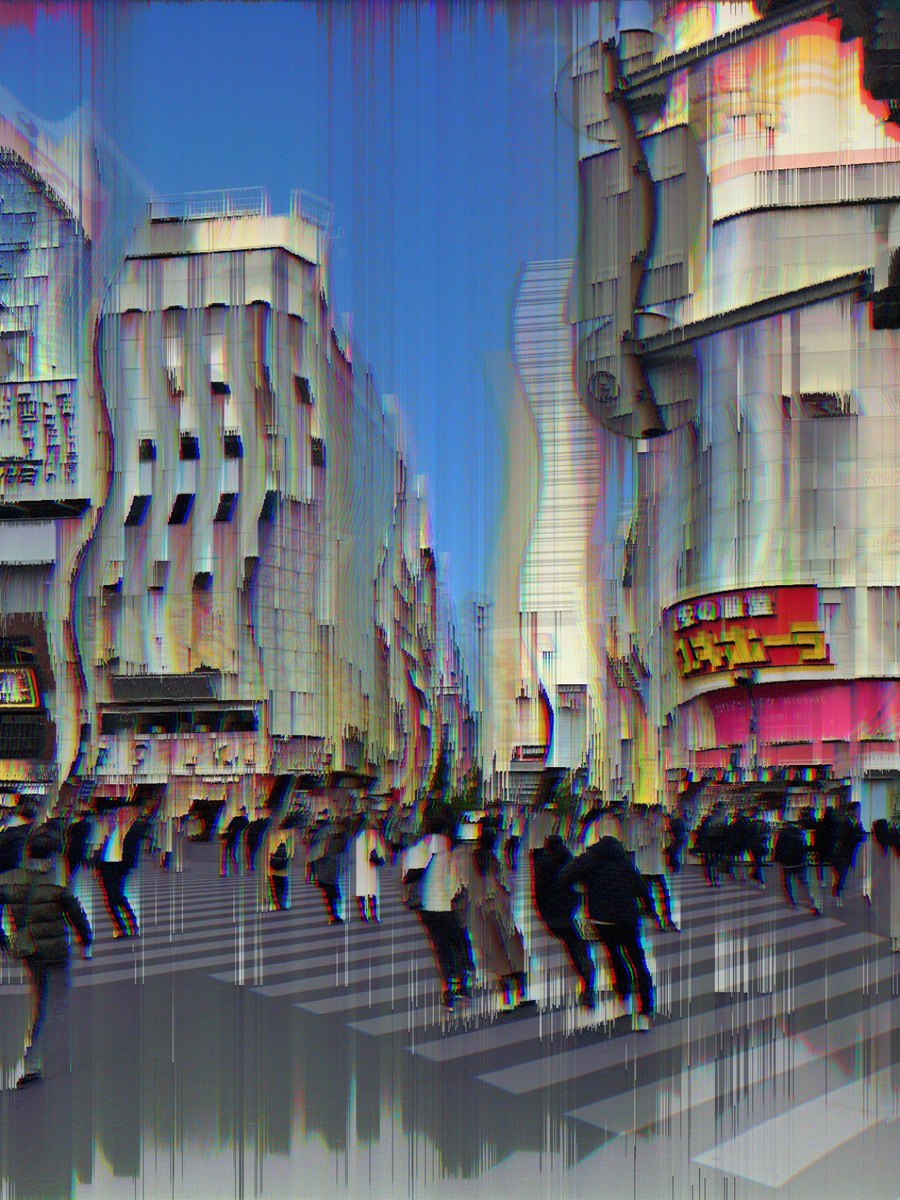
MODUL8 works the other way round. Each effect is a small simulation of one real failure, and it reads the actual pixels underneath before deciding what to do to them. Pixel Sort finds the bright regions in your specific frame and drags them until the buildings turn to vertical rain. Datamosh picks blocks and pastes them somewhere they do not belong. VHS bleeds colour sideways the way a worn tape head did. Feed two different photos to the same settings and you get two different pictures, because the damage is a response to the image rather than a layer on top of it.
Nothing is baked in. Nineteen effects, any number of them at once, in any order you like.
 Photo
MODUL8
Photo
MODUL8
What is actually in there
Nineteen effects. Every one of them is a real failure mode.
They are not variations on a theme. Each one models something different, which is why stacking them gets interesting instead of muddy.
Analogue video
VHS tracking errors, head switching noise at the bottom of the frame, chroma delay, interlacing comb, signal sync loss, analogue static. This is the family that makes a picture look like it was recorded off a television at two in the morning.
Effects: VHS · Chroma · Interlace · Sync · Static · ScanlinesData corruption
Datamosh copies blocks from one part of the frame into another and smears the motion between them, the way a video file does when the keyframes go missing. Corruption and Pixel Shift tear rows sideways. Pixel Sort reorders pixels by brightness until solid objects run like wet paint.
Effects: Datamosh · Corruption · Pixel Shift · Pixel Sort · FeedbackDisplay and colour
CRT adds phosphor glow, barrel curvature and a shadow mask. Bit Crush and Dither drop the colour depth to something a machine from 1994 could hold. RGB Split pulls the three channels apart. Film Grain and Noise put texture back on top.
Effects: CRT · Crush · Dither · RGB Split · Invert · Film · Noise · DistortionSame photo, different damage
The stack decides the picture.
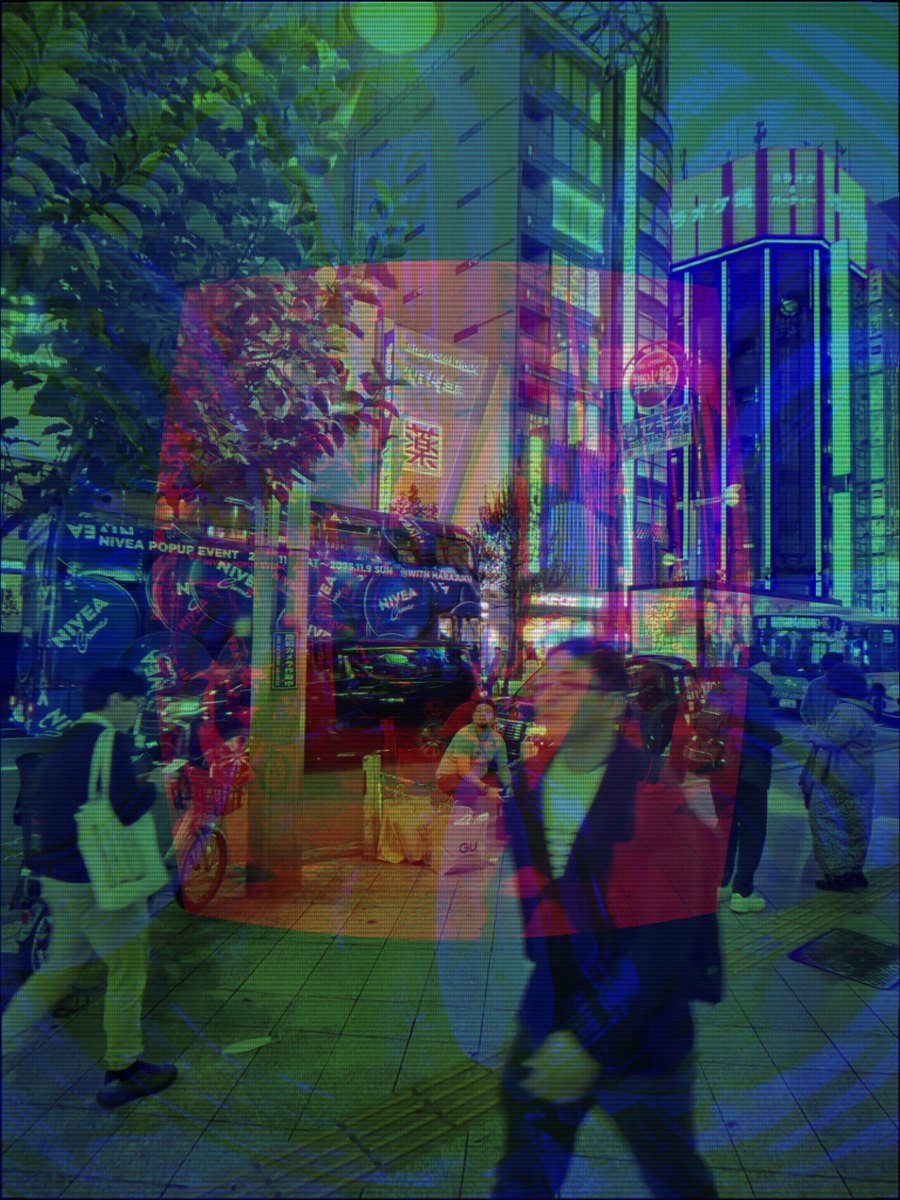
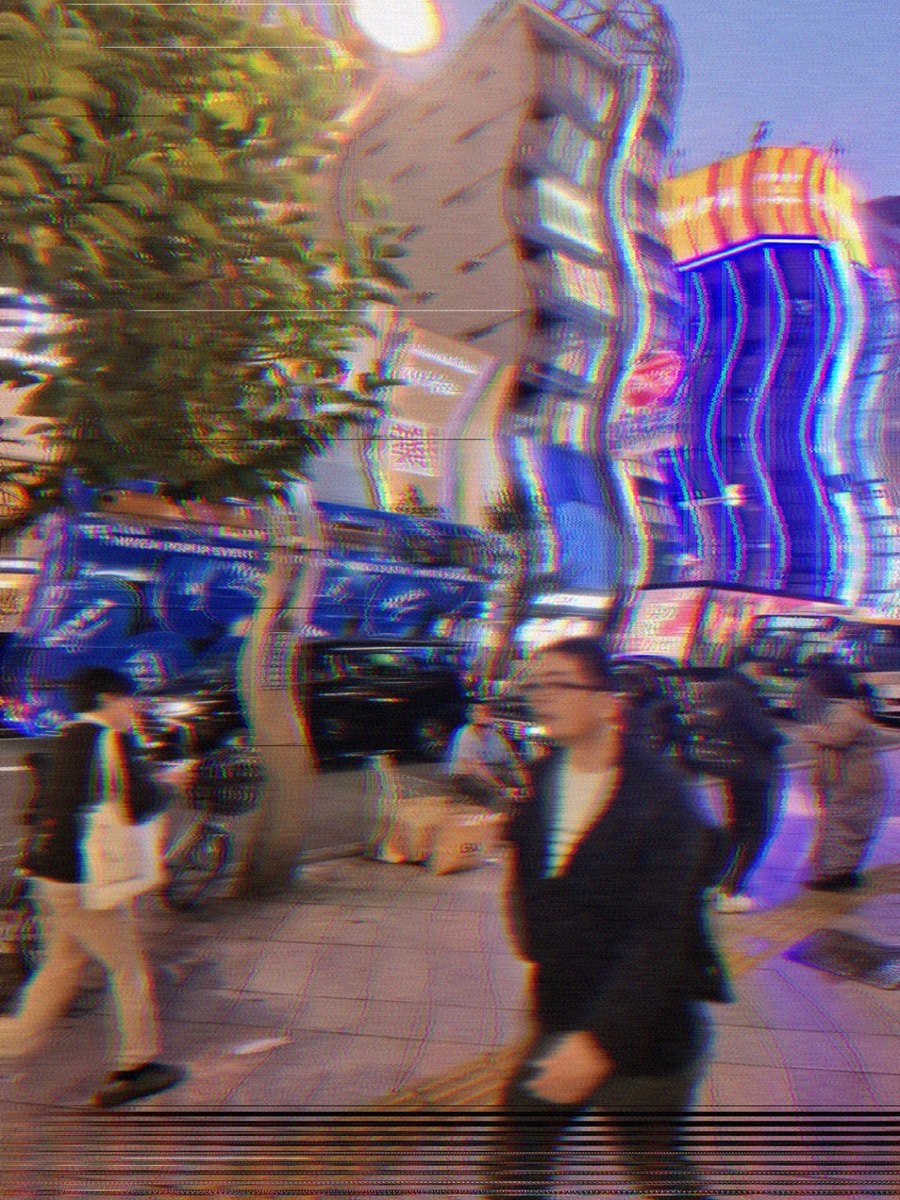
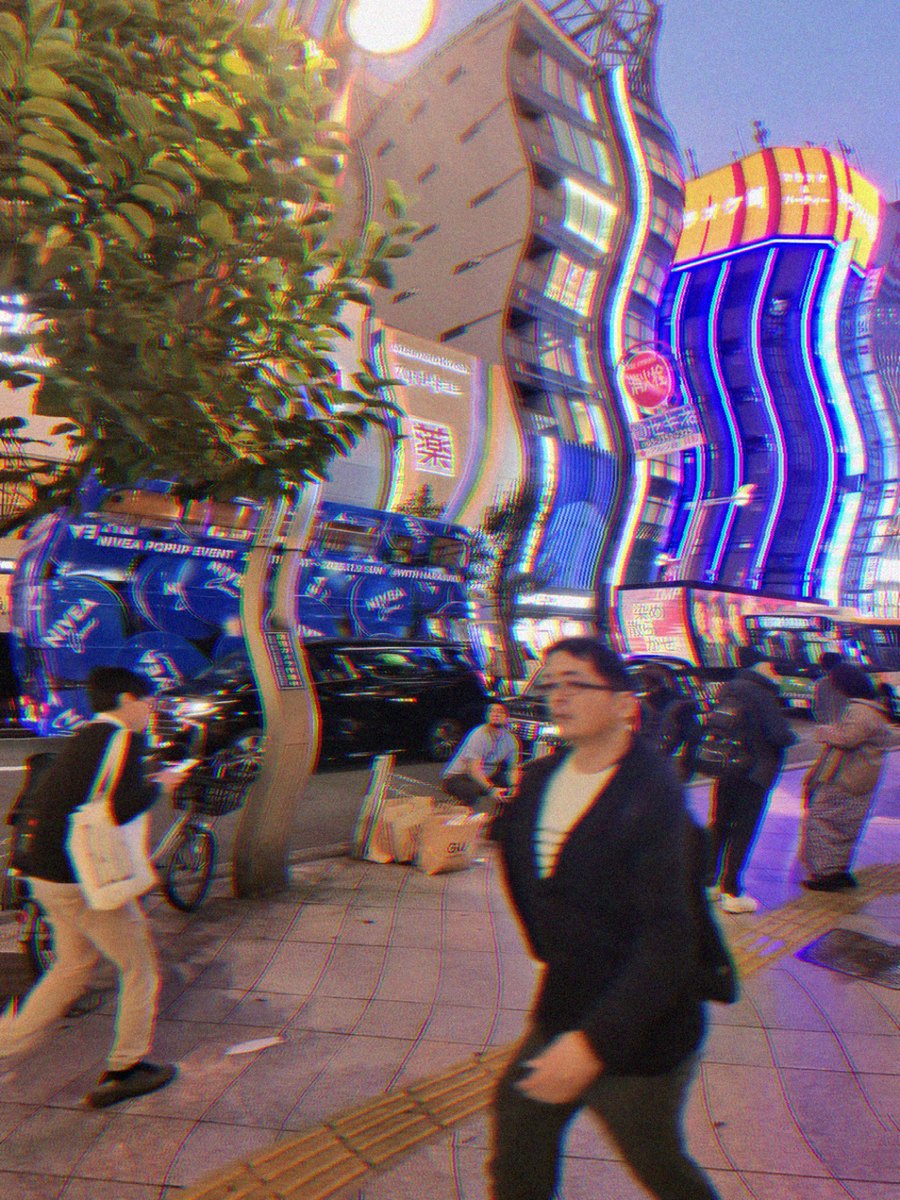
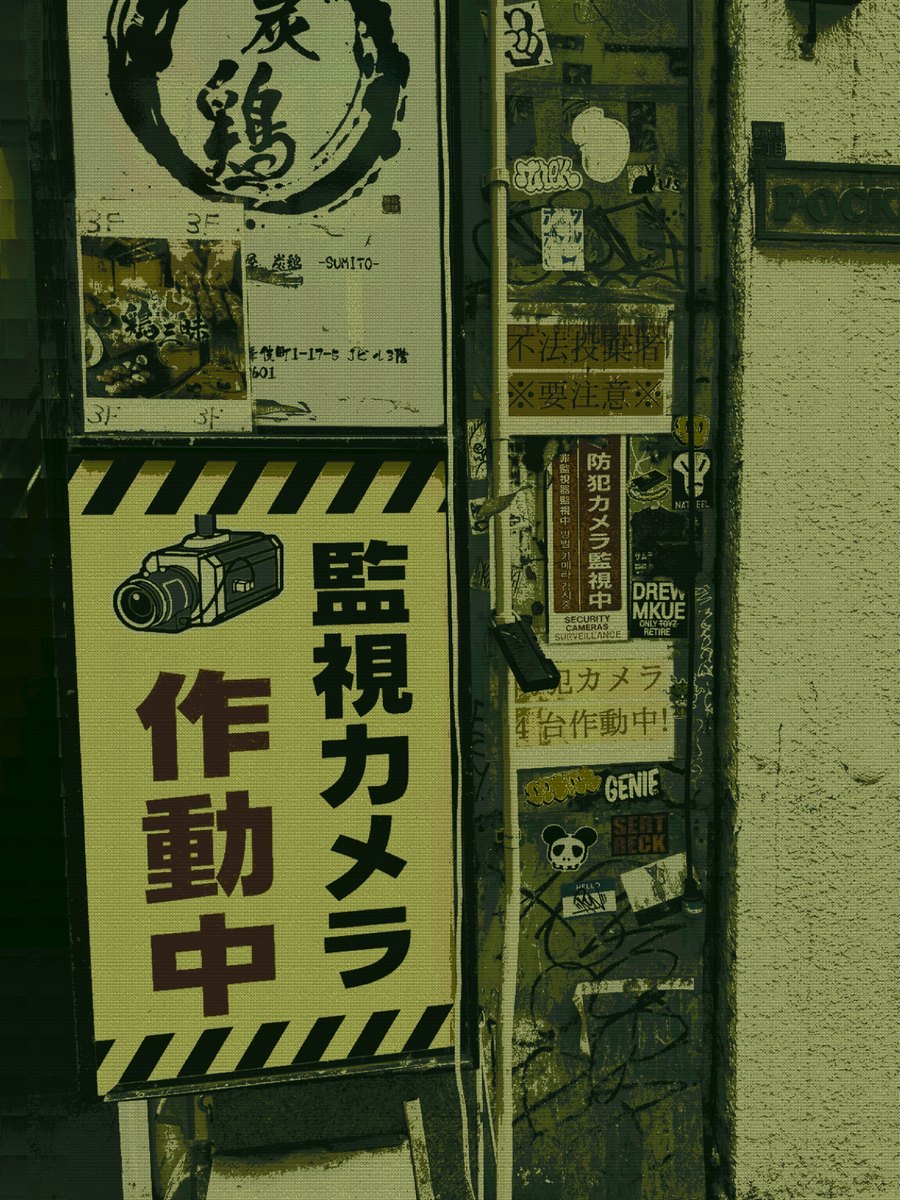
Five renders from two source frames, changed only by which effects were switched on and what order they ran in. Order matters: sorting a photo and then splitting the channels is not the same picture as splitting the channels first and sorting after.
The interface
One screen. Everything on it does one thing.
The canvas is at the top and it updates while you drag. Underneath it are nine presets to get you somewhere in one tap, then the layer stack showing exactly what is running and in what order, then the effect rack. Tap an effect to open its own parameters. No menus, no modes, no hunting.
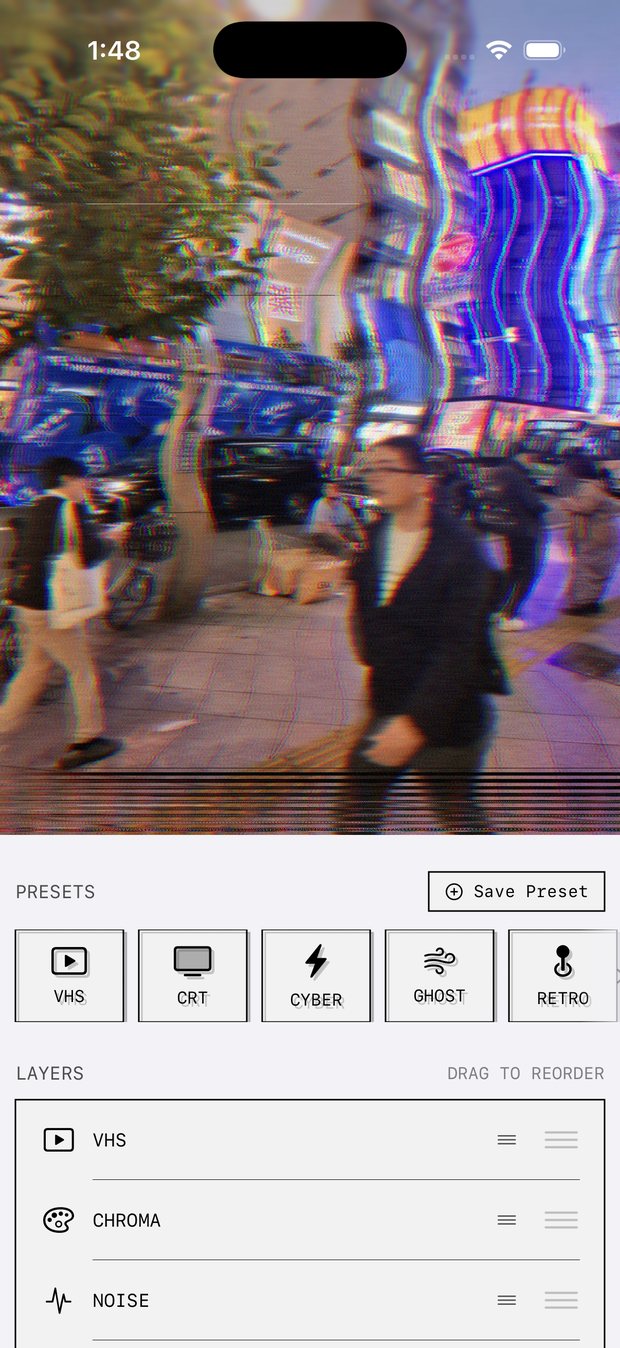
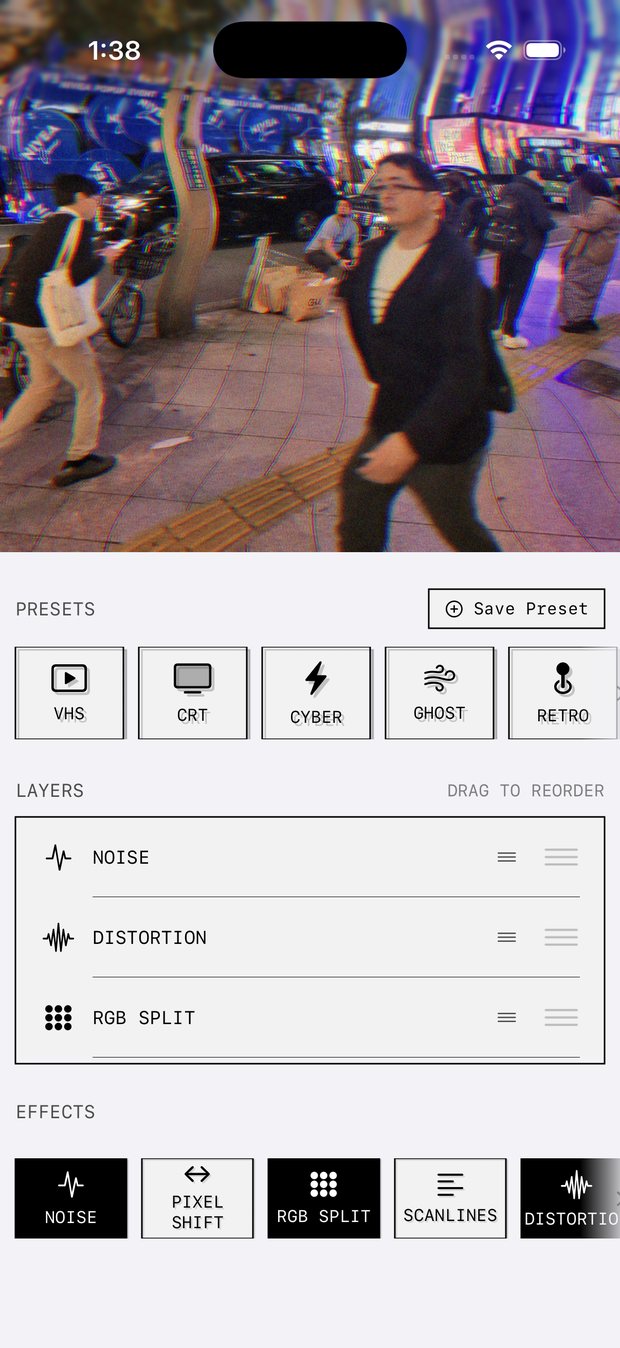
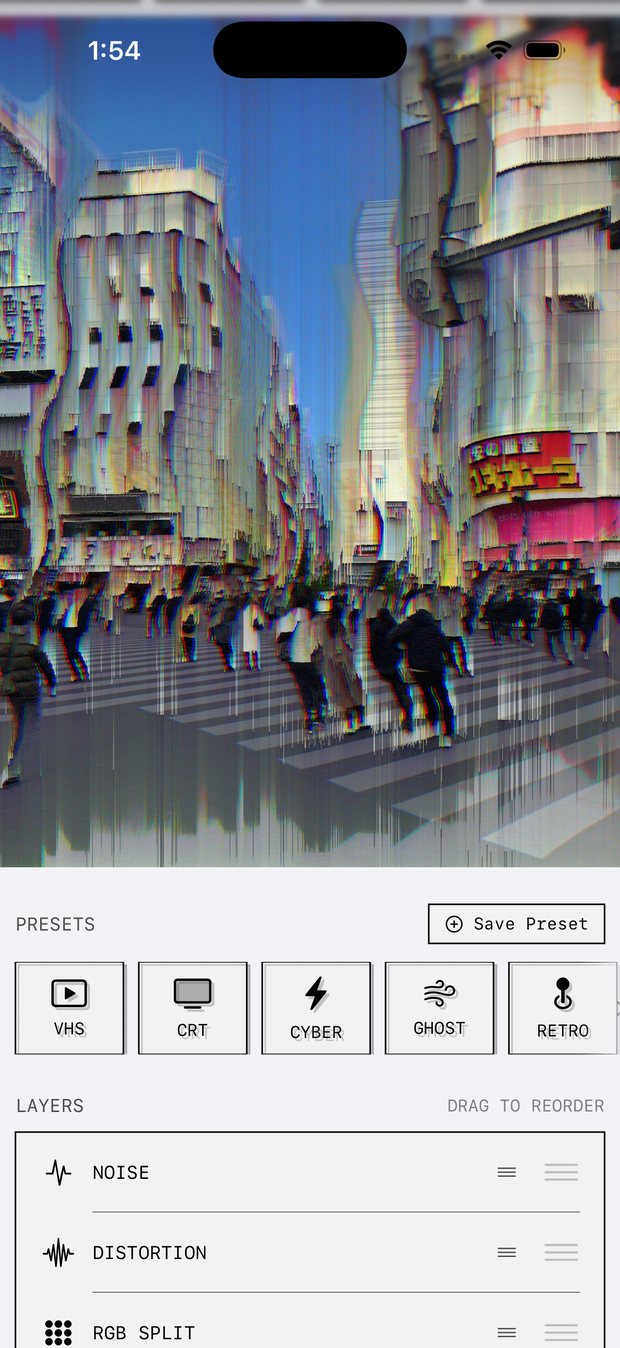
Load a photo from your library, or shoot one in the app.
Tap a preset. VHS, CRT, Cyber, Ghost, Retro, Film, Melt, Static or Fried.
Open any effect and move its sliders. Intensity, and then whatever else that particular effect has: block size, tracking, spacing, curvature, threshold.
Drag the layers into a different order and watch the picture change.
Export to your camera roll, or save the whole stack as a preset of your own.
On the device
Your photos stay on your phone.
Every effect runs locally. There is no upload, no account, no render queue and no server holding a copy of anything you shot. The app is six megabytes and the editing works in aeroplane mode.
It is also why the sliders feel live: you are dragging the real image rather than waiting on a round trip to somebody's GPU. The free version does serve ads, which is the one part that talks to the network. Premium removes them.
Video too
Loops, not just stills.
Turn any finished image into a seamless looping video with the effect parameters animating across the loop. The tracking drifts, the sort threshold moves, the channels breathe. It exports straight to your camera roll at a size that posts cleanly.
The deal
Free. Premium is optional.
Every one of the nineteen effects and all nine presets are free, with no limit on how many you stack. Nothing is held hostage behind a paywall and nothing you export is watermarked. Premium is about output and comfort, not about unlocking the tools.
- Free All 19 effects, all 9 presets, unlimited stacking, save and share, no watermark
- Premium Full resolution export, looping video export, saving your own presets, no ads
Questions
The things people ask first.
Is MODUL8 free?
Yes. All 19 effects, all 9 presets and unlimited stacking are free, and nothing you export is watermarked. Premium adds full resolution export, looping video export, saving your own presets, and removes ads.
What effects are in it?
Noise, Pixel Shift, RGB Split, Scanlines, Distortion, Corruption, Feedback, VHS, CRT, Chroma, Film Grain, Bit Crush, Interlace, Invert, Datamosh, Dither, Analogue Static, Pixel Sort and Signal Sync. Any number at once, in any order.
How is it different from other glitch apps?
Most of them lay a fixed pattern over whatever you give them, so every photo comes out wearing the same costume. Each MODUL8 effect models one specific hardware failure and reads the pixels underneath before deciding what to do, so the same settings give different results on different photographs.
Does it upload my photos?
No. Every effect runs locally on your iPhone. There is no account, no render queue and no server holding your images. The free version serves ads, which is the only part of the app that touches the network.
Can it make glitch videos?
Yes. Any finished image can be exported as a seamless looping video with the effect parameters animating across the loop, straight to your camera roll.
Which iPhones does it work on?
Any iPhone running iOS 15 or later. The app is about 6 MB.